"How much does an LMS cost?" is the first question most schools, colleges and training companies ask, and the honest answer is that it depends. A learning management system can be a simple place to publish lessons and conduct exams, or a large platform with many roles, integrations and reports. This article explains what drives the cost, so you can plan a budget and compare quotes sensibly.
First, who will use it?
An LMS usually serves several kinds of users, and each one needs their own screens and permissions:
- Administrators manage teachers, students, courses and batches.
- Teachers build question banks, create and schedule exams, and review results.
- Students take courses and exams and check their own performance.
Each additional role, such as parents, department heads or external examiners, adds design and development work.
The feature areas that drive effort
Student and batch management
Handling students, classes and batches is the foundation of an LMS. Importing existing student lists saves time, but the import has to cope with messy real-world data.
Question banks and exams
Building a question bank, creating exams, scheduling them and evaluating answers automatically is the heart of many systems. The more question types and rules you need, the more work it takes.
Monitoring during exams
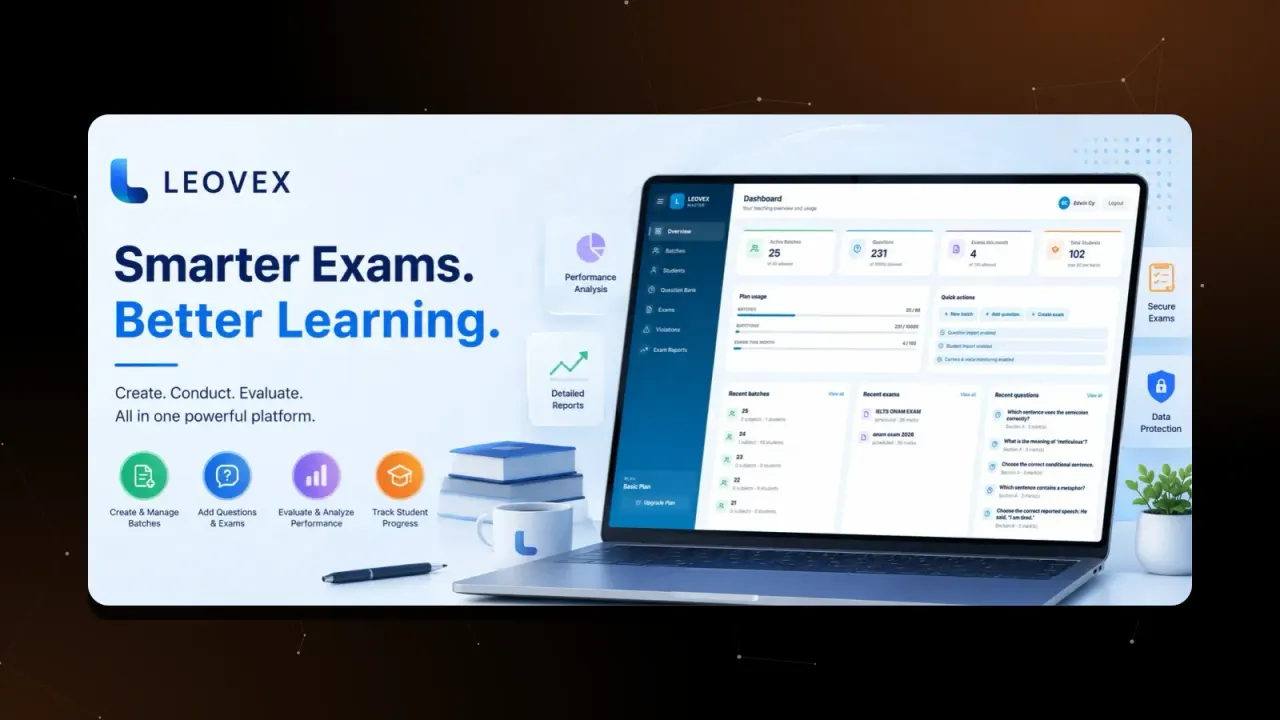
Some institutions want to watch for malpractice in online exams. Our LEOVEX examination platform, for example, uses the student's camera to detect when their face is not in front of the screen and records it as an event that the teacher can review along with the exam result. It is useful to know what such a feature can and cannot do. It records a signal for a teacher to judge. It does not prove that someone cheated, and any monitoring should be explained to students beforehand.
Results, reports and analytics
Marks lists are easy. Detailed performance analysis by student, batch and topic takes more design and testing, and it is often what makes an LMS genuinely useful to teachers.
Other things that move the price
- Integrations with your existing student records, payment gateway or video tools.
- Branding and design: a custom look costs more than a standard theme.
- Mobile apps in addition to the web platform.
- Scale: a platform for fifty students and one for fifty thousand are built differently, and hosted differently.
- Security and privacy: student data needs careful handling.
- Training and support after launch.
Build from scratch, or start from an existing platform?
Building everything from nothing gives you full control but takes the longest. Starting from a proven base and adapting it to your needs can reduce both the time and the risk. We build custom platforms, and we have also built our own LMS Platform and LEOVEX, so for many institutions we can start from something that already exists and tailor it. Ask any company you talk to which approach they recommend for you, and why.
How to plan a sensible budget
- Write down the one thing the LMS must do well. For many institutions this is online exams. Start there.
- Split the work into phases. A first release with the essentials, then further phases for extras.
- Ask for an itemised quote by phase, listing design, development, testing, hosting setup, training and support.
- Keep a reserve for the changes you will discover once teachers and students start using it.
- Ask about running costs, because hosting and support continue after the launch.
Questions to ask any provider
- Can we see a working LMS you have built, and speak to the people using it?
- What is in the first phase, and what comes later?
- Who owns the code and the data?
- How are student records protected?
- What happens if we need to change something after launch?
If you are planning an LMS or an online examination system, tell us what you need and we will help you scope a sensible first phase.
Frequently asked questions
Can we start with online exams only and add courses later?
Yes, and it is often a sensible way to begin. Exams, batches and results are a clear first phase. Courses, content libraries and other modules can follow once the first phase is in use.
Can existing students and question banks be imported?
Importing data is a normal part of an LMS project and should be agreed at the start. Our examination platform LEOVEX, for example, supports importing questions and students, which saves a lot of manual entry.
Do we need a mobile app for the LMS?
Not always. A responsive web platform works on phones and is cheaper to build and maintain. A dedicated mobile app is worth adding when your students need features such as notifications or offline study.
Written by Leopard Tech Labs